Official site on Google Direct bookings, no OTA commission
Your website appears as the 'official site' on Google Hotels, Google Vacation Rentals and Google Maps. Booking and payment happen on your website, with no sales commission.
For properties operating in Korea. Hotel chains: ONDA Enterprise
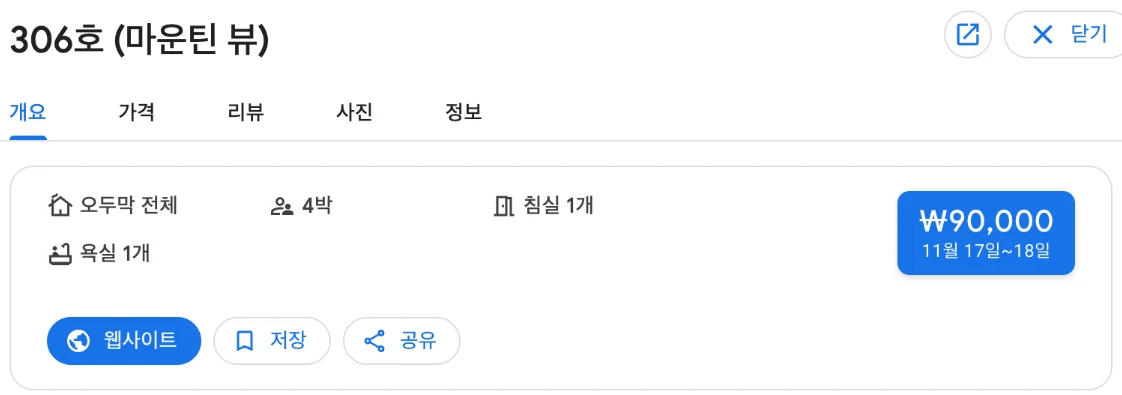
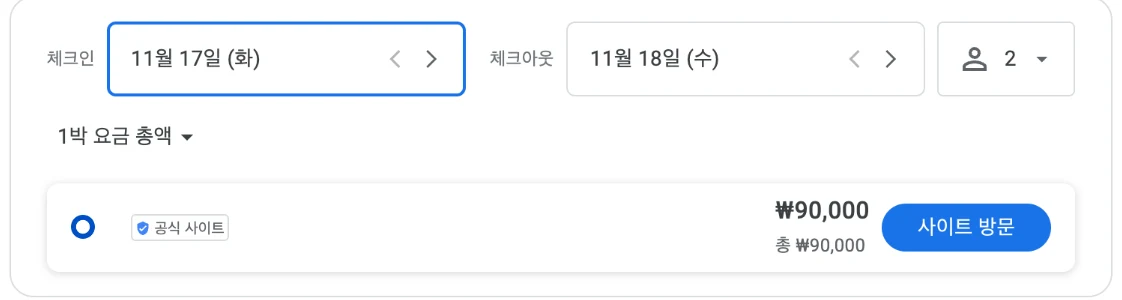
- 01'Website' button → opens your website
- 02'Official site' rate → booking on your website
Google · Google Maps · Gemini visibility
Rates and availability set in ONDA Plus appear in all three at once.
Google Search
Google Hotels · Vacation Rentals tabs
Hotels and resorts appear in Google Hotels; pensions, pool villas and private houses in the Vacation Rentals tab. Your rate appears next to OTA prices as the 'official site'.
Google Maps
Property details in the app and on the web
Property details show rates by date and an 'official site' booking button. Guests can book straight from the map.
Gemini
Gemini app and web
Gemini's lodging answers show Google Hotels information and link to booking. Google decides which regions are supported.
Google partner listings
ONDA Plus rates and availability appear as Google free booking links. No separate contract with Google is needed. ONDA became Korea's first Google Hotels partner in 2021.
Hotel connectivity partner
List entry
ONDA · https://www.onda.me/ · english, 한국어
View Google's listVacation rental partner
List entry
ONDA — Seoul, South Korea
View Google's list
Official website included free
The ONDA booking engine works as your official website. Google's 'official site' button and links in AI answers all lead to it.
Pages included
- Property introduction and photos
- Room details and rates
- Directions
- Real-time booking and booking lookup
Information for search engines and AI
- Structured data (Schema.org) for the property, rooms and location
- Links to the booking page
- Frequently asked questions
- Sitemap and llms.txt
Links to property websites sometimes appear in ChatGPT, Gemini and Perplexity answers. Traffic from ChatGPT has kept growing this year.
Setup in 3 steps
- 01
Join ONDA Plus
Register your property, rooms, rates and photos, and your official website is created automatically.
- 02
Google connection
ONDA Plus rates and availability sync to Google automatically. Once Google's requirements, such as at least five photos, are met, your property appears on Google Hotels or Vacation Rentals.
- 03
Booking management
Official-site bookings are managed in ONDA PMS together with bookings from every other channel. All channels share one inventory, so there are no double bookings.
OTA bookings vs. direct from Google
Sales commission
- OTA booking
- Commission on every booking (typically 15-25%)
- Google → your website
- None (ONDA Pay payment fee only)
Name shown on Google
- OTA booking
- Rate shown under the OTA's name
- Google → your website
- Shown as your official site
Rates and discounts
- OTA booking
- OTA discount and promotion terms apply
- Google → your website
- Rates and coupons set by your property
Guest contact details
- OTA booking
- Passed on via the OTA
- Google → your website
- Collected directly by your property at booking
Naver Map, KakaoMap and TMAP bookings connect as well.
How map app booking works